Material for MkDocs
Official Documentation
Useful Stuff
- icon search Reference
- Admonition Types (Tips, Warnings, etc) Reference
- Annotations Reference
Edit Website
in GitHub
Info
You can also edit the page directly on GitHub. Cloudflare Pages will update the Live Page after you commit the Changes
in VS Code
-
Open Website in VS CODE
Open VSCode via Terminal
- Open Terminal
-
Navigate to you Site
- Example
open VS Code on this location with
- minde the Space between
codeand.
Open VSCode via GitHub Desktop
I usually access it via GitHub Desktop
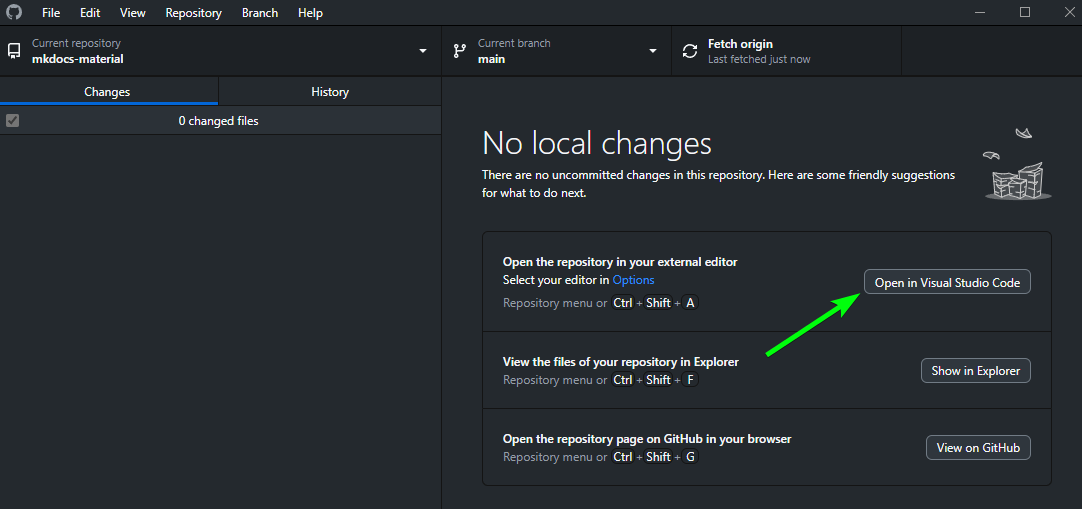
-
Preview on http://localhost:8000/
(Just type the following commands in the Terminal in VS Code)Expected Output
PS X:\OneDrive\Documents\GitHub\mkdocs-material> mkdocs serve # (1)! INFO - Building documentation... INFO - Cleaning site directory INFO - Documentation built in 0.44 seconds INFO - [20:07:01] Watching paths for changes: 'docs', 'mkdocs.yml' INFO - [20:07:01] Serving on http://127.0.0.1:8000/ INFO - [20:07:03] Browser connected: http://localhost:8000/- This Command will run the live preview on http://localhost:8000/ , you can exit it with Ctrl+C
-
Commit & Snycto GitHub Repo (1)-
Can also be done in GitHub Desktop
Commit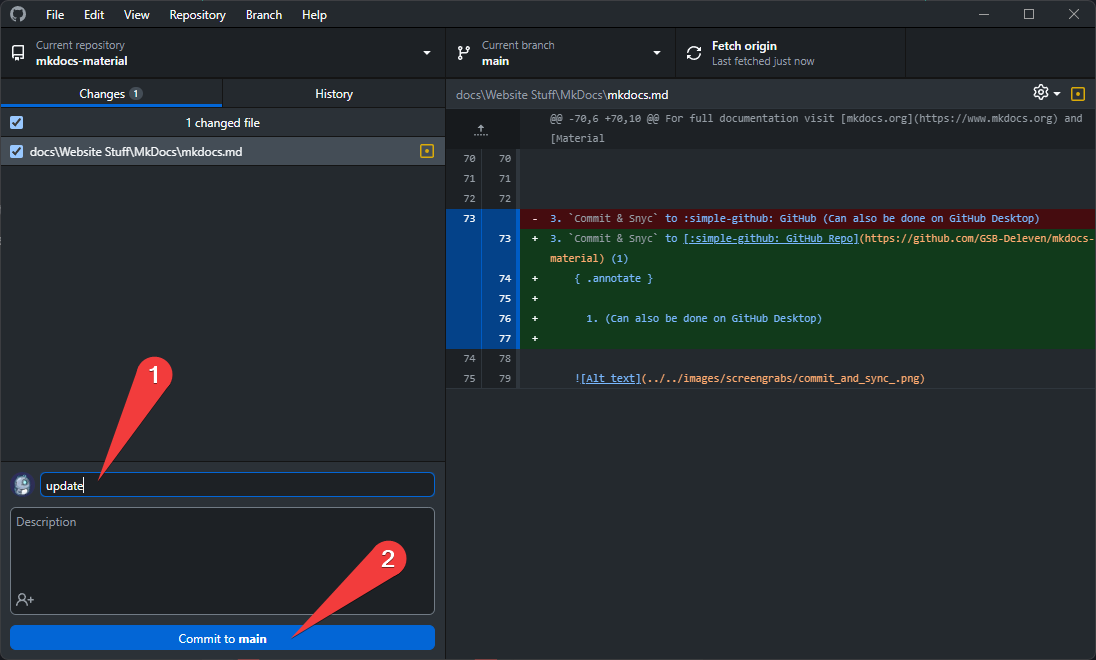
Push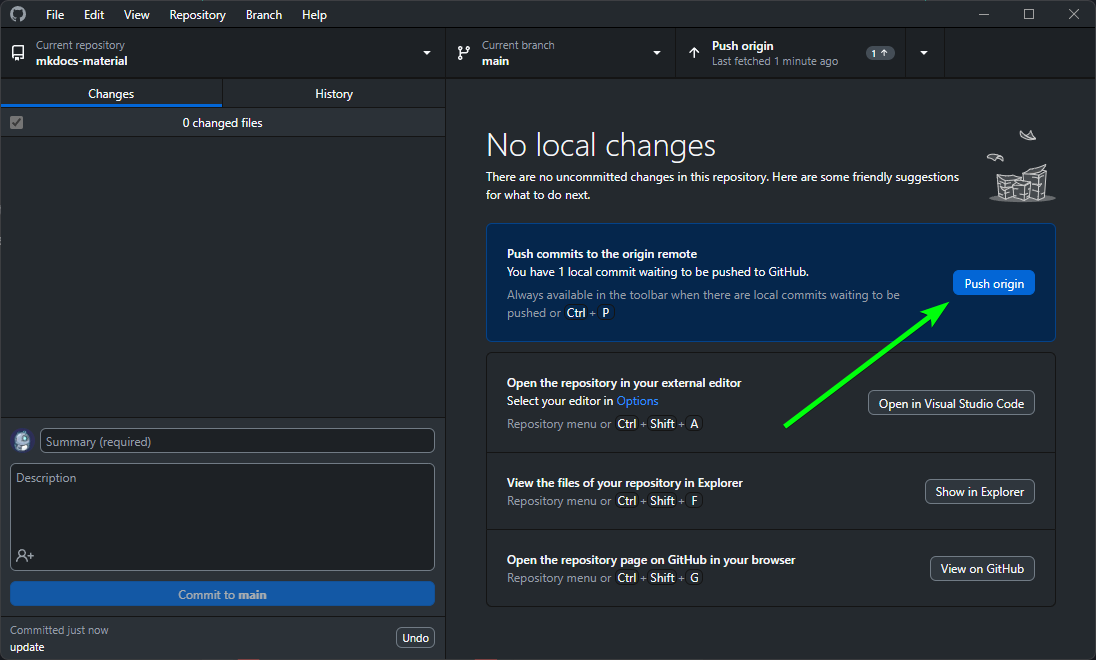
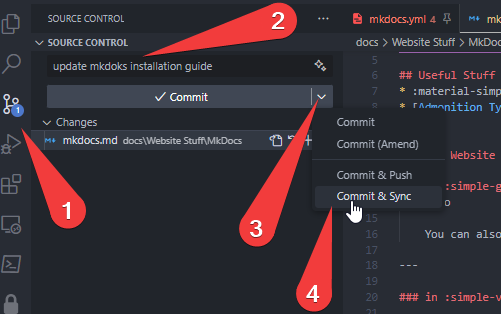
-